Cloud Backup and Disaster Recovery Guide for IT Leaders in 2026
How to calculate RTO and RPO, choose between DRaaS and CBaaS, protect against ransomware, and compare top managed disaster recovery providers, including DataVizion, ITPartners+, VAST IT Services, and VGM Forbin.
Data loss does not announce itself. It arrives as a ransomware payload encrypting your files at 2 a.m., a misconfigured update that corrupts your production database, or a cloud region outage that takes your systems offline mid-business day. By the time it happens, the only question that matters is: how fast can you recover?
This guide covers everything you need to build and execute an effective cloud backup and disaster recovery strategy in 2026. I've worked through the implementation realities across mid-market and enterprise environments, and I'll share what actually works, not just what sounds good in a vendor brochure.
Cloud Backup vs. Disaster Recovery
Most organizations use "backup" and "disaster recovery" as if they mean the same thing. They do not, and that confusion creates dangerous gaps in protection.
Backup is about data protection. You create copies of files, databases, and configurations and store them somewhere safe, typically offsite or in the cloud. If a file gets corrupted, deleted, or encrypted by ransomware, a backup lets you retrieve it.
Disaster recovery (DR) is about operational continuity. It means your entire IT environment, including systems, applications, and networks, can come back online quickly after a major disruption. Backup is one component of DR, but DR encompasses failover infrastructure, documented recovery sequences, communication protocols, and tested personnel responsibilities.
You can have backups without a disaster recovery plan. What you cannot have is a functional disaster recovery plan without backups.

DRaaS vs. CBaaS: Choosing the Right Cloud Delivery Model
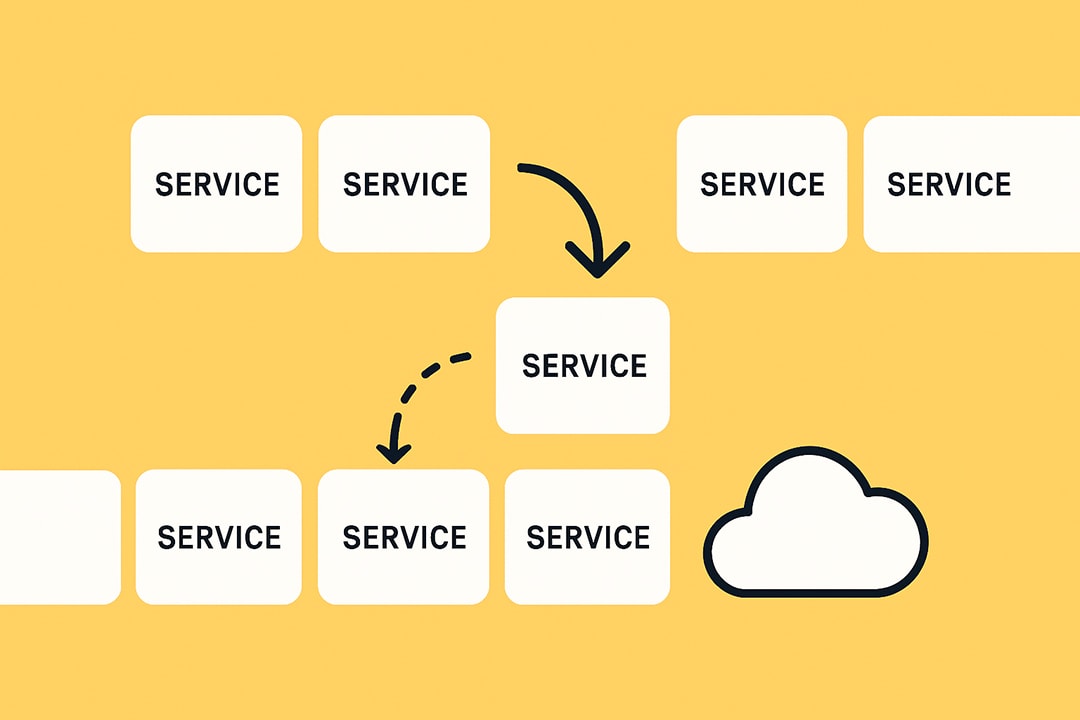
Two cloud-based delivery models dominate modern disaster recovery services:
- Disaster Recovery as a Service (DRaaS): Replicates your entire IT environment to the cloud and enables rapid failover. When a disruption hits, your systems spin up in the cloud and operations continue with minimal interruption. Built for organizations with mission-critical uptime requirements.
- Cloud Backup as a Service (CBaaS): A managed solution focused specifically on protecting and recovering data. It does not provide the instant failover of DRaaS, but it costs less and suits organizations that can tolerate longer recovery windows.
You can implement both: CBaaS for day-to-day data protection, DRaaS for mission-critical infrastructure. The right model depends on your recovery time requirements and how much downtime your business can absorb.
The Real Cost of IT Downtime in 2026
The financial stakes keep rising. ITIC's latest research shows the hourly cost of downtime now exceeds $300,000 for 91% of mid-sized and large enterprises, with 44% reporting that a single hour of downtime can potentially cost their business over $1 million.
For smaller businesses, the proportional damage is just as severe. Datto reports that 78% of SMBs say a single hour of downtime costs them over $10,000.

The problem goes beyond direct revenue loss. Business disruption accounts for 35% of total downtime costs, including reputational damage and customer churn, with revenue loss taking second place. When systems go down, you are paying idle employees, missing sales, risking compliance violations, and eroding customer trust simultaneously.
Read more: How to Switch IT Vendors or Partners Without Downtime or Loss of Control
Why Small and Mid-Sized Businesses Face the Highest Risk
The assumption that only large enterprises need serious DR planning is one of the most dangerous myths in IT.
According to Verizon's 2025 Data Breach Investigations Report, 88% of all ransomware incidents involve small and medium-sized businesses, many of which are underprepared and lack necessary cybersecurity measures to mitigate such attacks.
A Mastercard survey of over 5,000 SMB owners in 2025 found that almost one in five who experienced a cyberattack went bankrupt or went out of business.
The global average cost of an extortion or ransomware breach reached $5.08 million in 2025. For small businesses specifically, costs ranged between $120,000 and $1.24 million.
Attackers explicitly target SMBs because they know recovery infrastructure is weaker. A $50,000 ransom demand is a rounding error to a Fortune 500 company. For a 30-person manufacturer, it is an existential event.
What Modern Disasters Actually Look Like
Organizations tend to prepare for dramatic scenarios: fires, floods, regional power failures. The most common disruptions are quieter:
- Ransomware that encrypts backup systems alongside primary data
- Accidental deletion by employees with excessive access permissions
- Software updates that corrupt application data
- Cloud region outages from major providers
- Hardware failures in hybrid environments
A recovery strategy built only around physical disasters will fail against these everyday realities.
How to Build an Effective IT Disaster Recovery Plan

Step 1: Conduct a Business Impact Analysis (BIA)
A Business Impact Analysis ranks every asset and service by what it costs your business if it becomes unavailable. This ranking drives every subsequent decision about architecture, vendor selection, and budget allocation.
When conducting a BIA, identify:
- Mission-critical systems: Customer portals, billing, production databases, revenue-generating applications
- Important but non-urgent systems: HR platforms, internal communication, reporting tools
- Low-priority systems: Archived records, historical data, legacy documentation
Assign each tier a criticality score. That score determines your recovery architecture and vendor requirements.
Step 2: How to Calculate RTO and RPO Metrics
Recovery Time Objective (RTO) and Recovery Point Objective (RPO) are not buzzwords. They are the specific commitments that define your recovery architecture and directly inform what you buy.
RTO is the maximum time your business can be offline before consequences become severe. An RTO of 15 minutes means systems must be restored within 15 minutes of failure.
RPO is the maximum data loss your business can absorb, measured in time. An RPO of one hour means you must be able to restore to a state no older than one hour.
To set these accurately:
- Calculate the actual cost of one hour of downtime for each system tier (use revenue, idle payroll, and compliance risk)
- Identify the maximum data loss your business, customers, or regulators can tolerate
- Calibrate targets per tier, for example:
- Customer-facing systems: RTO 15 minutes, RPO 5 minutes
- Internal communication: RTO 4 hours, RPO 1 hour
Use real numbers, not industry defaults. Your RTO/RPO targets are the north star for building, testing, and improving every DR process.
Step 3: Apply the 3-2-1-1 Backup Rule
The 3-2-1 rule has been the standard baseline for years:
- 3 copies of your data
- 2 stored on different media types
- 1 stored offsite or in the cloud
In 2026, the standard has evolved to 3-2-1-1: add one immutable, air-gapped copy that ransomware cannot reach. Many ransomware operators now achieve full domain encryption in under four hours. An immutable backup that no user or administrator can alter or delete is your last line of defense.
Step 4: Match Your Cloud Disaster Recovery Solution to Your RTO
There is a spectrum of DR approaches with different cost, complexity, and recovery speed:
- Backup and Restore: The most affordable model. Data is copied to a separate location and systems are rebuilt from scratch during recovery. Higher RTO and RPO. Suitable for non-critical systems.
- Pilot Light: A minimal version of your environment runs continuously in the cloud, ready to scale when disaster strikes. Faster recovery, moderate cost.
- Warm Standby: A scaled-down version of your full environment stays live and updated. Recovery is fast because systems are already partially operational.
- Multi-Region Active/Active: Systems run simultaneously across multiple regions. Traffic reroutes instantly if one region fails. Near-zero downtime and data loss. Reserved for organizations where any interruption is unacceptable, and comes with the highest cost and operational complexity.
Step 5: Use Infrastructure as Code for Automated Failover
Infrastructure as Code (IaC) has fundamentally changed what is possible in disaster recovery planning. Tools like Terraform, AWS CloudFormation, and Kubernetes allow your entire infrastructure to be defined, versioned, and rebuilt from code in minutes.
IaC transforms DR from a manual scramble into a repeatable, automated process. Benefits include:
- Rapid, consistent recovery with no guesswork
- Multi-region and multi-cloud deployments become practical, not just theoretical
- Automated failover, parallel rebuilds, and granular component restoration
- Elimination of the human error that historically causes most recovery delays
Step 6: Test Your DR Plan. Then Test It Again.
A DR plan that lives in a document and has never been executed under pressure is not a plan. According to Acronis research, only 20% of IT managers claim to be testing backup restoration weekly.
Regular, documented testing is the difference between organizations that recover and those that fail. Testing cadence should include:
- Tabletop exercises: Walk teams through disaster scenarios to identify gaps and clarify roles (monthly)
- Infrastructure recovery drills: Create live environments using IaC and verify true recoverability (quarterly)
- Drift detection and pipeline tests: Catch silent failures before they escalate (continuous)
Measure Mean Time to Recovery (MTTR) and test success rates. Document every result. Use findings to improve.
Compliance Requirements That Drive Disaster Recovery Planning
For regulated industries, disaster recovery planning is not optional. It is a legal obligation.
- HIPAA (Healthcare): Covered entities must implement contingency plans that include data backup, disaster recovery procedures, and emergency mode operation. Recovery capabilities must be demonstrated and documented.
- PCI DSS (Payments): Requires documented recovery procedures for cardholder data environments, tested at least annually.
- GDPR: Mandates the ability to restore access to personal data in a timely manner following a disruption. Failure to demonstrate this capability can result in significant fines.
- SOC 2: Evidence of backup and recovery controls is required as part of the availability trust service criterion.
Choosing a DR provider with demonstrated compliance experience in your industry reduces audit burden and regulatory exposure.
The SaaS Backup Gap You Shouldn't Miss
I see this mistake consistently across organizations of every size: they assume data stored in Microsoft 365, Google Workspace, Salesforce, or other SaaS platforms is automatically protected. It is not.
SaaS platforms protect their own infrastructure, not your specific data. If an employee accidentally deletes a folder, ransomware corrupts your SharePoint environment, or a sync error overwrites critical files, the native recovery tools in those platforms have limited scope and narrow time windows.
Third-party SaaS backup is a required layer of protection in any complete enterprise backup solution. It is not optional in 2026.
Managed Disaster Recovery Services: Provider Comparison
Choosing the right managed DR partner depends on your organization's size, industry, recovery requirements, and internal IT capabilities. Below are four providers with details sourced directly from their websites.
1. DataVizion: Fully Managed Backup and Disaster Recovery
DataVizion is a Nebraska-based managed IT services provider serving businesses across the Midwest. Their backup and DR service is part of a broader managed services portfolio that includes fully managed IT, co-managed IT, cybersecurity, and network infrastructure.
What their DR service covers:
- Automatic, scheduled backups with advanced encryption and policy-driven controls
- Tailored disaster recovery plans built around each client's specific business continuity needs
- Partnership with Datto for backup, instant virtualization, and business continuity capabilities
- 24/7 security operations center (SOC) with data alerts and immediate incident response
- SOC 2 Type 1 certified, supporting compliance requirements across banking, healthcare, and education
- Both fully managed and co-managed delivery models
Best suited for: Mid-market businesses in the Midwest looking for a single managed IT and DR provider with deep regional presence, strong compliance credentials, and integrated cybersecurity.
2. ITPartners+: Rapid Recovery with Daily Verification
ITPartners+ is a Datto Blue Partner, the highest tier of Datto certification, with all support engineers holding multiple Datto certifications. They specialize in SMBs and public sector organizations.
What their DR service covers:
- Backups verified every 5 minutes, with recovery implementable in as little as 6 seconds
- Daily automated screenshot verification confirming systems are bootable, reviewed by ITPartners+ staff every day
- Instant virtualization allowing businesses to continue operating in the cloud while primary systems are restored
- Multiple data sites: one local and two private cloud locations
- AES-256 encryption for all data in transit, with SOC 2 compliant data centers
- SaaS backup for Microsoft 365 and Google Workspace
- Up to $1,000,000 ransomware warranty on endpoint protection add-on
- RTO Calculator tool for organizations to quantify their specific downtime cost exposure
Best suited for: SMBs and public sector organizations that need rapid recovery with transparent daily verification and strong compliance support.
3. VAST IT Services: Enterprise Cloud Backup as a Service (CBaaS)
VAST IT Services delivers CBaaS powered by Druva's Data Resiliency Cloud, a platform recognized in the Gartner Magic Quadrant for backup and recovery, built on AWS infrastructure.
What their DR service covers:
- Coverage across four distinct environments: SaaS applications, public cloud (AWS, Azure), hybrid/on-premises infrastructure, and enterprise endpoints
- Immutable, air-gapped backups protecting against ransomware corruption of backup data
- Fixed, consumption-based pricing that eliminates unpredictable hardware costs
- Geographic flexibility enabling recovery to on-premises, alternate sites, or the cloud
- DRaaS available separately for organizations requiring rapid system failover
- Managed Veritas and Cohesity backup solutions available for complex enterprise environments
Best suited for: Organizations with multi-cloud or hybrid environments that need enterprise-grade backup with immutable storage and no on-premises backup infrastructure.
4. VGM Forbin: Compliance-Driven Disaster Recovery for Healthcare and Regulated Industries
VGM Forbin has operated since 1994, with over 25 years of experience in managed IT services. Their DR practice is specifically built for healthcare, HME/DME providers, financial institutions, and other compliance-heavy industries.
What their DR service covers:
- Custom DR plans built around each client's devices, files, infrastructure, and specific operational risks
- Risk assessment as the foundation of every DR engagement, evaluating hardware vulnerabilities and data exposure before designing recovery architecture
- Backup and recovery services embedded within broader managed IT, including 24/7 remote monitoring and unlimited support
- Compliance expertise covering HIPAA, PCI DSS, WCAG, GDPR, and CCPA, integrated directly into DR planning
- Hardware and software disaster recovery solutions as dedicated service tracks
- Incident response planning and network documentation maintained proactively
Best suited for: Healthcare providers, HME/DME businesses, financial institutions, and compliance-heavy organizations that need DR tightly integrated with regulatory requirements and ongoing managed IT.
Answer the questionnaire below to compare the 4 solutions discussed in this article and which one best suits your IT infrastructure. Based on your answer, we suggest which Disaster Recovery provider best suits you.
How to Evaluate Enterprise Cloud Backup and Disaster Recovery Vendors
Before you shortlist any provider, define your non-negotiables: RTO/RPO targets, compliance requirements, and the specific environments you need to protect (cloud, on-premises, SaaS, endpoints). A vendor that cannot meet your RTO or lacks experience with your regulatory framework is not a viable option, regardless of price.
Questions that reveal how a provider actually performs:
- Can you show documented recovery test results, including screenshot verification or audit reports?
- What are your egress fees during an actual recovery event? (This is where pricing surprises happen)
- Which technology platform underpins your backup infrastructure, and at what certification tier are you a partner?
- What is your average MTTR across your current client base?
- How do you handle ransomware scenarios where backup systems are also encrypted?
The difference between a provider that sounds good and one that performs in a real incident often comes down to how clearly they can answer question 5.
Best Practices for Enterprise Backup and Disaster Recovery in 2026
- Adopt a DR Maturity Model. Progress from ad-hoc backups to automated, multi-region failover systematically. Know where your organization stands and set defined milestones.
- Protect SaaS data explicitly. Microsoft 365, Google Workspace, and Salesforce are not backup solutions. Third-party SaaS backup is required.
- Make immutability non-negotiable. Immutable backups that cannot be altered post-creation are essential. In 2025, 54% of ransomware victims restored encrypted data using backups, the lowest backup recovery rate in six years. Many organizations discovered their backups were compromised in the same attack.
- Cover endpoints. With distributed workforces, significant data lives outside the data center. Endpoint backup is not optional.
- Frame DR in business terms. "We need $X for DR infrastructure" gets cut. "A single outage costs us $Y per hour and here is our exposure over 12 months" gets funded.
- Distribute ownership. DR fails when only one person knows the plan. Metrics, responsibilities, and improvement roadmaps need to live across teams and up to the executive level.
Looking for IT partners?
Find your next IT partner on a curated marketplace of vetted vendors and save weeks of research. Your info stays anonymous until you choose to talk to them so you can avoid cold outreach. Always free to you.
FAQ
What is the difference between cloud backup and disaster recovery as a service (DRaaS)?
Cloud backup protects your data by creating recoverable copies. DRaaS replicates your entire IT environment and enables rapid operational failover. Backup is part of DRaaS, but DRaaS addresses full operational restoration, not just data retrieval.
Do I need DRaaS and CBaaS, or just one?
Many organizations benefit from both. CBaaS handles day-to-day data protection at lower cost. DRaaS handles mission-critical uptime requirements. If your systems going offline for several hours is acceptable, CBaaS alone may be sufficient. If your RTO is under 30 minutes, you need DRaaS.
Is data in Microsoft 365 or Google Workspace automatically backed up?
No. SaaS platforms protect their infrastructure, not your specific data. Native recovery tools have limited scope and short retention windows. Third-party backup is required.
How often should I test my disaster recovery plan?
Test mission-critical systems quarterly with full infrastructure recovery drills. Run tabletop exercises monthly. Automated testing, including backup bootability verification, should run continuously. Organizations that test regularly recover faster and lose less data.
What is the best way to protect against ransomware with backups?
Immutable backups that attackers cannot encrypt or delete are the first requirement. Pair that with air-gapped storage not accessible over the network, anomaly detection that flags unusual backup behavior, and a tested recovery plan that restores clean data quickly. Ransomware operators now achieve full domain encryption in under four hours in some cases, which means the gap between attack and encryption is narrowing. Detection and isolated backups are the critical defense layers.