Jenkins vs. GitLab CI vs. CircleCI vs. GitHub Actions: The CI/CD Decision Guide in 2026
CI/CD automates the building, testing, and deployment of code. This guide compares Jenkins vs. GitHub Actions vs. GitLab CI vs. CircleCI to help IT leaders decide on pricing, performance, and maintenance trade-offs.
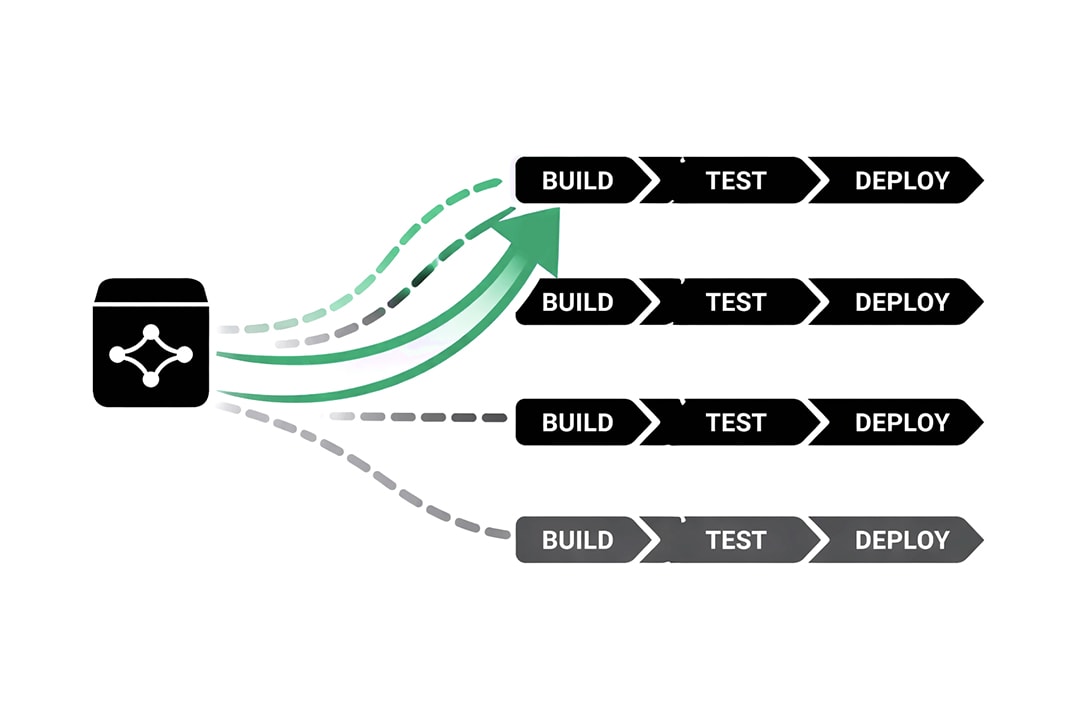
In 2026, the question of whether to use Continuous Integration and Continuous Deployment (CI/CD) is settled. Automation is the standard. The debate has shifted from why we automate to where we automate.
For IT leaders, this decision is often framed incorrectly. Teams debate features or syntax when they should be debating maintenance models. The choice of a CI/CD platform is not just about which tool builds code faster. It is a decision about how much engineering time you are willing to invest in maintaining the tool itself versus building your product.
You have Jenkins, the legacy standard that offers infinite control at the cost of high maintenance. You have GitHub Actions, the default choice that removes friction by living next to your code. You have GitLab CI, the integrated powerhouse that visualizes the entire lifecycle. And you have CircleCI, the specialist focused purely on speed and performance.
This guide provides a technical analysis of these four architectures to help you determine which trade-offs align with your operational maturity.
The Core Conflict: Platform Gravity vs. Control
Before analyzing specific features, you must understand the two forces driving the CI/CD market in 2026.
The Rise of Platform Gravity
The most significant trend in modern DevOps is Platform Gravity. This rule states that the best CI/CD tool is usually the one closest to your source code.
This explains the meteoric rise of GitHub Actions and GitLab CI. When the pipeline is integrated into the source control management (SCM) system, authentication is handled automatically. Developers do not need to manage webhooks or secret keys to connect two separate systems. The friction of setting up a new pipeline drops to near zero.
The Cost of Control
The opposing force is the need for granular control. This is the domain of Jenkins. While integrated tools are convenient, they are opinionated. They force you to work within their constraints regarding runner types, timeout limits, and available hardware.
If you are building standard web applications, integrated tools are superior. However, if you are compiling firmware for medical devices, managing complex embedded systems, or navigating strict air-gapped security environments, the constraints of a cloud-native platform may be a dealbreaker. You pay for this control with maintenance hours.
Jenkins
Best For: Large enterprises with unique, complex hardware requirements or strict on-premise security mandates.
Jenkins is the oldest player in this space. It is open-source, free to use, and self-hosted. It operates on a Master/Agent architecture where one server orchestrates the work and delegates tasks to multiple agents.
The Architecture of Infinite Flexibility
Jenkins does not care what you are building. Because you host the infrastructure, you have total access to the underlying hardware. This allows for workflows that are impossible in SaaS tools.
- Hardware Access: You can connect a Jenkins agent physically to a hardware test bench. This is critical for industries like automotive or robotics where "testing" involves flashing a chip rather than running a script.
- Plugin Ecosystem: There is a plugin for everything. If you need to integrate with a legacy mainframe or a 20-year-old issue tracker, a Jenkins plugin likely exists.
The Maintenance Tax
The flexibility of Jenkins comes with a steep price known as "Plugin Hell." Jenkins relies on a vast web of community-maintained plugins.
- Dependency Conflicts: Updating one plugin often breaks another. This forces teams to treat their CI server like a fragile production asset. You cannot simply auto-update Jenkins; you must test the update to ensure it does not take down your pipelines.
- Security Burden: Because it is self-hosted, you own the security. If a vulnerability is discovered in a Jenkins plugin, your team must patch it immediately. In large organizations, managing Jenkins often requires the equivalent of a full-time engineer.
The Verdict on Jenkins
Use Jenkins only if you have a specific constraint that forces you to. If you require bare-metal access, air-gapped environments, or zero licensing costs for massive scale, Jenkins is the only viable option. For everyone else, the labor cost usually outweighs the licensing savings of a modern tool.
GitHub Actions
Best For: The 90% of development teams who already host their code on GitHub and want to minimize friction.
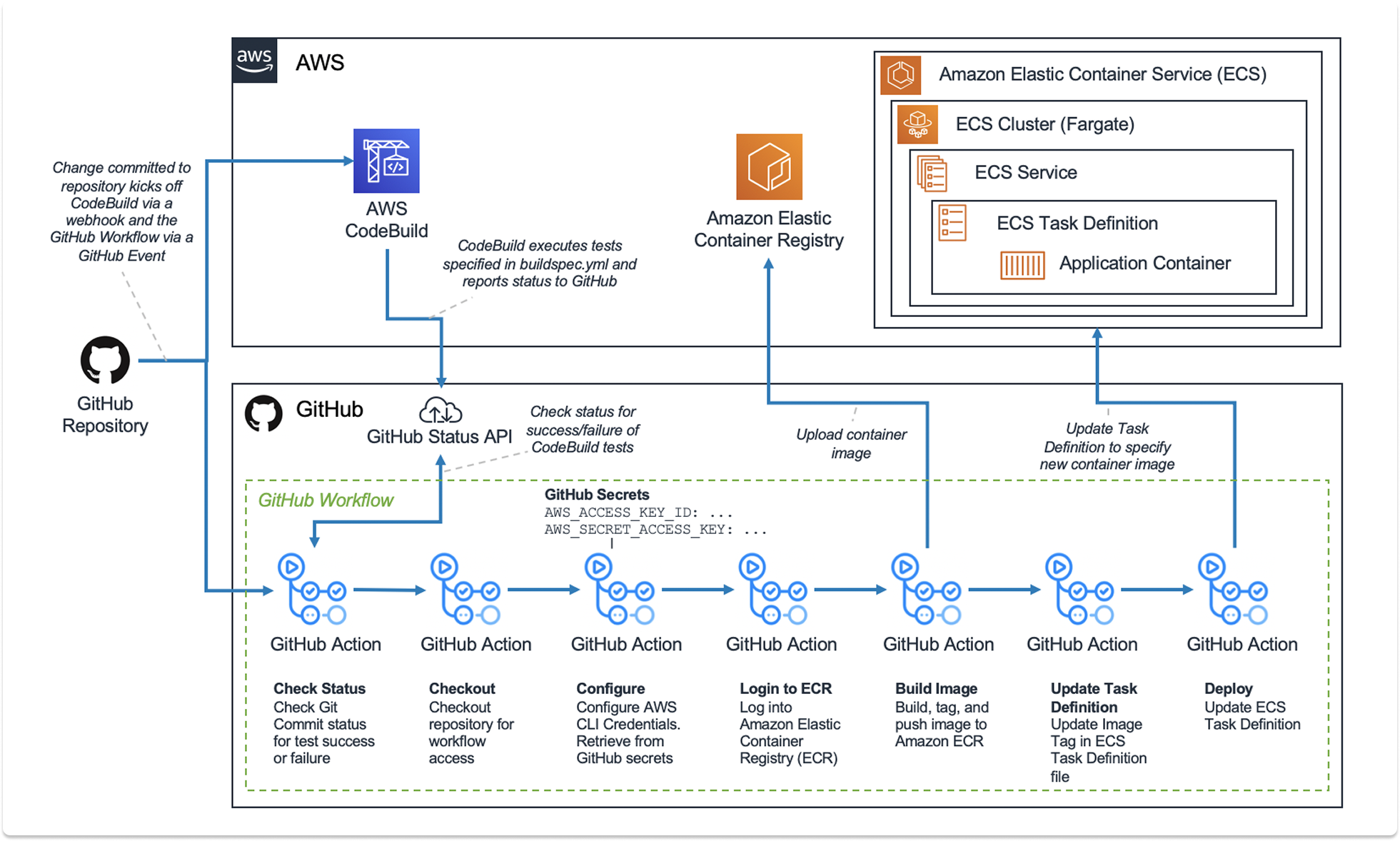
GitHub Actions has fundamentally changed the CI/CD market by leveraging Platform Gravity. It is not a separate tool; it is a feature of the repository.
The Architecture of Convenience
GitHub Actions uses a YAML-based workflow defined directly in your repository. It runs on Microsoft-hosted runners (Azure VMs) or self-hosted runners that you connect to the platform.
- The Marketplace: This is the primary differentiator. GitHub allows the community to publish "Actions"—reusable blocks of code. If you need to deploy to AWS, authenticate with Docker Hub, or run a security scan, you do not need to write the script. You simply reference an Action from the marketplace.
- Identity Federation: GitHub creates a secure identity link between your repository and cloud providers (AWS, Azure, Google Cloud). This eliminates the need to store long-lived static credentials (like AWS Access Keys) in your CI secrets, significantly improving security posture.
The Visibility Gap
While convenient, GitHub Actions struggles with observability compared to its competitors.
- Debugging: When a complex pipeline fails, visualizing the flow can be difficult. The interface lists jobs in a linear or tree format, but it lacks the rich visualization of dependencies found in GitLab.
- Local Testing: Testing a GitHub Action workflow locally on a developer's machine is difficult. While third-party tools exist to simulate it, there is no official, reliable way to run a pipeline on your laptop before pushing it. This leads to a cycle of "commit, push, fail, repeat" when building new workflows.
The Verdict on GitHub Actions
This is the default choice for modern software development. If your code is on GitHub, the friction of using a different CI provider is rarely justified. The cost of runners can scale up, but the savings in developer time are substantial.
GitLab CI
Best For: Organizations that want a single application for the entire software lifecycle, from planning to security to deployment.
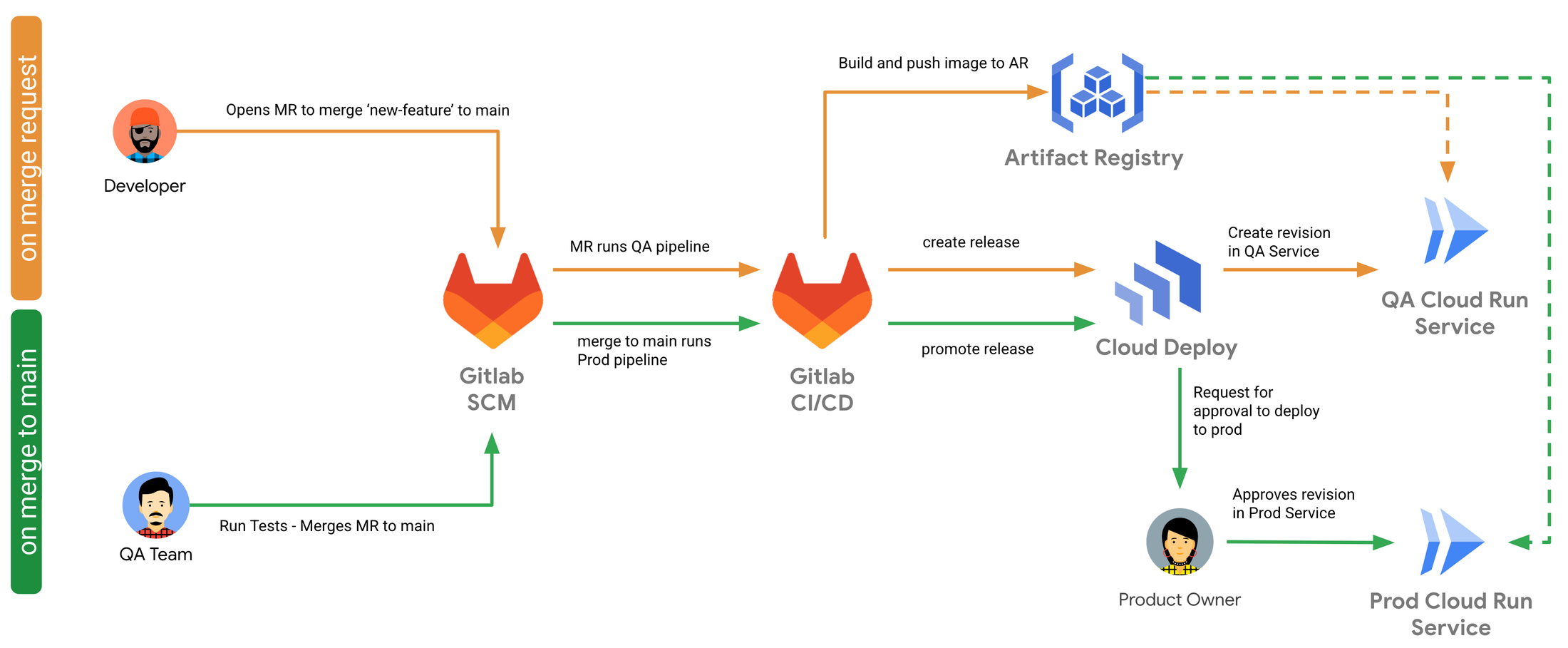
GitLab takes a holistic view of DevOps. It does not treat CI/CD as a feature; it treats it as the backbone of the entire product.
The Architecture of Visibility
GitLab CI is famous for its visual approach to pipelines. It uses a Directed Acyclic Graph (DAG) to visualize dependencies.
- Pipeline Views: You can see exactly which stage failed, which jobs were skipped, and which jobs are running in parallel. This visual feedback is superior to GitHub Actions for complex, multi-stage deployments.
- Container Registry: GitLab includes a built-in container registry. This integration is tight and mature. Pushing a Docker image to the registry and pulling it in the next stage of the pipeline feels seamless and faster than configuring external registries.
Security and Compliance
GitLab CI excels in regulated environments. Its "Auto DevOps" features can automatically scan every commit for security vulnerabilities, license compliance issues, and code quality problems without manual configuration.
- Governance: You can enforce compliance pipelines that run on every project, regardless of what the developer defines in their YAML file. This ensures that security scans happen even if a developer tries to bypass them.
The Integration Constraint
GitLab CI shines when you go "all in." If you use GitLab for code, issues, and CI, the experience is polished. However, if you host code on GitHub but want to use GitLab CI, the integration is clumsy. It requires mirroring repositories and managing cross-platform status updates.
The Verdict on GitLab CI
If you are looking for a comprehensive DevOps platform to replace Jira, GitHub, and Jenkins simultaneously, GitLab is the clear winner. Its CI engine is arguably the most mature and feature-rich of the SaaS options.
CircleCI
Best For: Scale-ups and performance-obsessed teams that need the fastest possible build times.
CircleCI is a specialist. It does not host code. It does not manage tickets. It focuses entirely on being the fastest and most reliable runner of builds.
The Architecture of Performance
CircleCI has optimized its infrastructure to shave seconds and minutes off build times.
- Docker Layer Caching: CircleCI has advanced logic for caching Docker layers. If you build heavy container images, this feature alone can reduce build times by 50% or more compared to GitHub Actions.
- Test Splitting: CircleCI can automatically analyze your test suite and split it across multiple parallel runners to finish faster. While other tools can do this, CircleCI makes it a first-class feature that is easy to configure.
The Developer Experience
CircleCI offers features that developers love, specifically around debugging.
- SSH Debugging: When a build fails in CI, it is often hard to reproduce the error locally. CircleCI allows you to SSH directly into the failing runner instance. You can poke around the file system, check environment variables, and run commands to diagnose the issue live. This drastically reduces the time it takes to fix a broken pipeline.
The Pricing Complexity
CircleCI uses a credit-based pricing model. You pay for the compute class (RAM/CPU) and the duration of the run. This allows for granular control; you can use a massive machine for a heavy compile job and a tiny machine for a linting job. However, it also makes billing unpredictable. A bad configuration can burn through credits rapidly, leading to budget surprises.
The Verdict on CircleCI
Choose CircleCI if your team is frustrated by slow builds on GitHub or GitLab. If your primary metric is "time to deploy," the performance optimizations of CircleCI justify the extra cost and the friction of using a separate tool.
How to Decide on a CI/CD Platform
Use these four scenarios to align your choice with your organizational needs.
Scenario A: The Modern Standard
Context: You are building a web application using React, Node, or Python. Your code is hosted on GitHub. You want to start deploying immediately.
Recommendation: GitHub Actions.
Why: It offers the lowest barrier to entry. The Marketplace allows you to assemble a pipeline in minutes. The integration with your repository simplifies security and authentication.
Scenario B: The Legacy or Hardware Build
Context: You are a manufacturer or a bank. You need to compile C++ code for specific hardware. You have strict security requirements that prevent code from leaving your physical network.
Recommendation: Jenkins.
Why: You need the control of self-hosted infrastructure. Jenkins allows you to lock down the environment completely and interface with physical hardware in ways that cloud runners cannot.
Scenario C: The Unified Platform
Context: You want to simplify your toolchain. You are tired of paying for Jira, GitHub, and Artifactory separately. You want one tool for the whole team.
Recommendation: GitLab CI.
Why: It provides the best end-to-end visibility. The built-in security scanning and container registry reduce the number of integrations you need to manage.
Scenario D: The Performance Optimization
Context: Your developers are complaining. Their builds take 45 minutes on GitHub Actions, slowing down their feedback loop. You are willing to pay for speed.
Recommendation: CircleCI.
Why: Features like SSH debugging and intelligent test splitting will reduce developer frustration and wait times. The productivity gain offsets the cost of a specialized tool.
Closing Thoughts
The era of defaulting to Jenkins is over. In 2026, the cost of engineering time is far higher than the cost of compute.
- Choose GitHub Actions if you want the path of least resistance. It is the new standard for a reason.
- Choose GitLab CI if you want a powerful, integrated platform that enforces security and compliance.
- Choose CircleCI if you are scaling rapidly and need raw performance to keep developers productive.
- Choose Jenkins only if you absolutely must. If you have unique hardware constraints or legacy requirements that modern SaaS tools cannot handle, Jenkins remains the only tool flexible enough to say yes to everything.
Strategic Final Thought: Do not fight Platform Gravity. Start with the CI tool provided by your code host. Only introduce the complexity of a third-party tool if you have a specific, measurable problem that the default option cannot solve.
Also Read: Terraform vs. Ansible vs. Puppet vs. Chef: Which Tool is Right for IT Leaders
Looking for IT partners?
Find your next IT partner on a curated marketplace of vetted vendors and save weeks of research. Your info stays anonymous until you choose to talk to them so you can avoid cold outreach. Always free to you.
FAQ
Can I use Jenkins for Free?
The software is free and open-source. However, the Total Cost of Ownership (TCO) is high. You pay for the servers to host it, the electricity to run it, and most importantly, the engineering hours required to patch, update, and fix it. For many companies, "free" Jenkins is more expensive than paid CircleCI.
Can I use GitHub Actions if I host code on GitLab?
Technically yes, but it is not recommended. You lose the primary benefit of Platform Gravity. You would have to mirror your code or manage complex webhooks. If your code is on GitLab, you should almost certainly use GitLab CI.
Why is CircleCI considered faster?
CircleCI specializes in runner optimization. They offer features like intelligent test splitting (running tests in parallel based on timing data) and advanced Docker layer caching. While you can configure these things in other tools, CircleCI makes them native features, often resulting in faster builds out of the box.
Which tool is best for security?
GitLab CI is generally considered the leader in integrated security. Its Ultimate tier includes comprehensive scanning (SAST, DAST, dependency scanning) that runs automatically in the pipeline and displays results directly in the merge request. GitHub Actions also has strong security features via "CodeQL," but GitLab's integration feels more cohesive.
What is the "Marketplace" advantage of GitHub Actions?
The Marketplace allows you to use code written by others. Instead of writing a 50-line script to log in to Amazon ECR and push an image, you can use the official "Configure AWS Credentials" action. This speeds up the setup of new pipelines significantly, as you are assembling pre-built blocks rather than writing scripts from scratch.